VoiceTask Voice planner
Plan your week by voice
A voice planner turns what you say into dated tasks, so you can plan a whole week in one go instead of typing it in item by item. In VoiceTask you talk through what’s coming up at work and at home, each task lands on its day with the time and reminder you mentioned, and Upcoming lays the week out day by day.
Updated 18 November 2026.
A weekly plan in three steps
1. Say the week
On Sunday evening or Monday morning, open the voice capture and talk through the days, work and home mixed together:
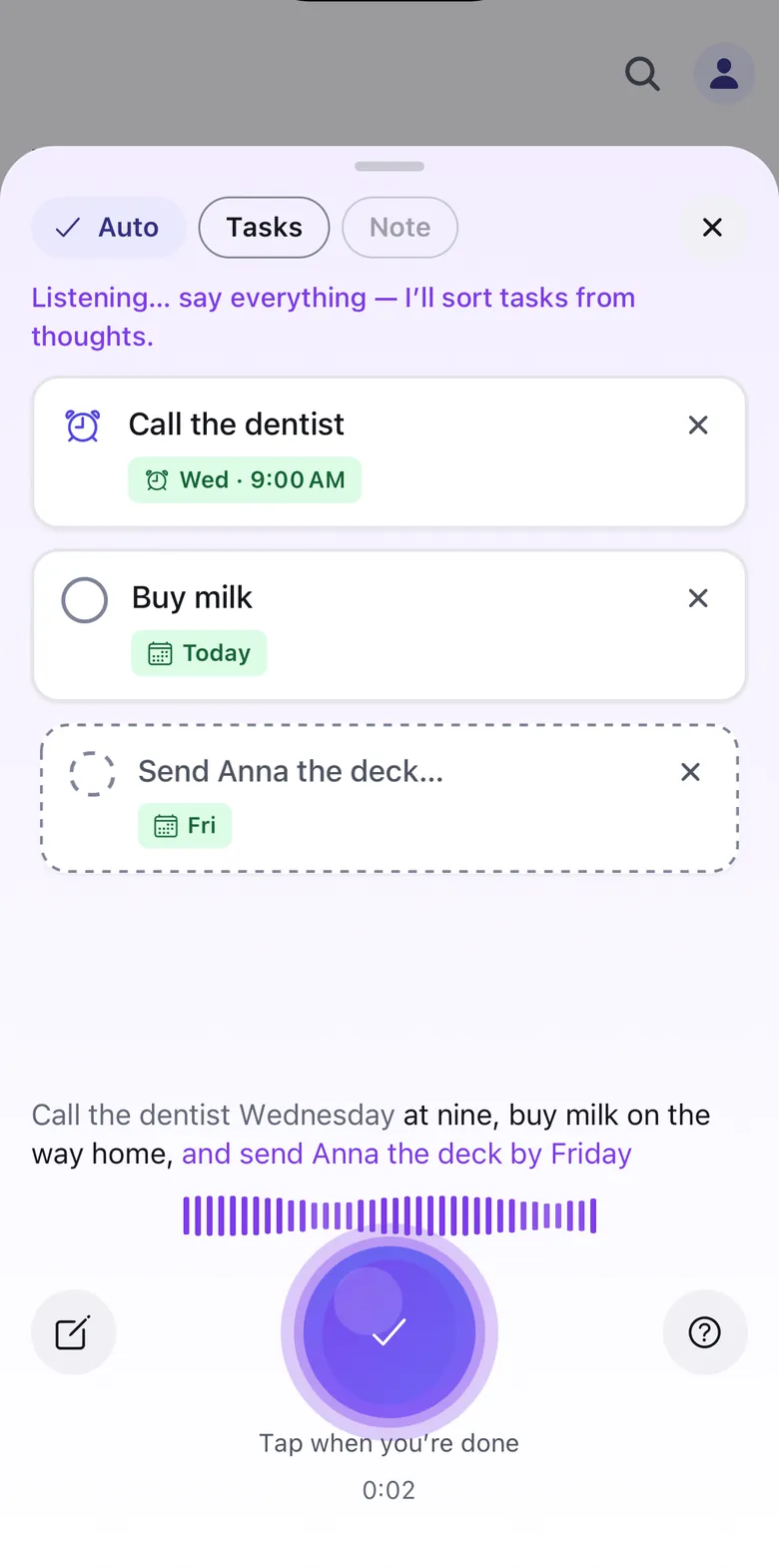
“Send the weekly report on Monday by eleven. Team call Tuesday at two. Pick up Max from practice Wednesday at half past four, remind me fifteen minutes before. Gym every Monday, Wednesday and Friday at six. And dinner with Sarah on Thursday at eight.”
Each item becomes its own task with the day and time you said. “Every Monday, Wednesday and Friday” makes the gym repeat; “remind me fifteen minutes before” sets the alert at 4:15. Say “actually, Thursday” if you change your mind mid-sentence, and check the cards before you tap Add.
2. Look at the week
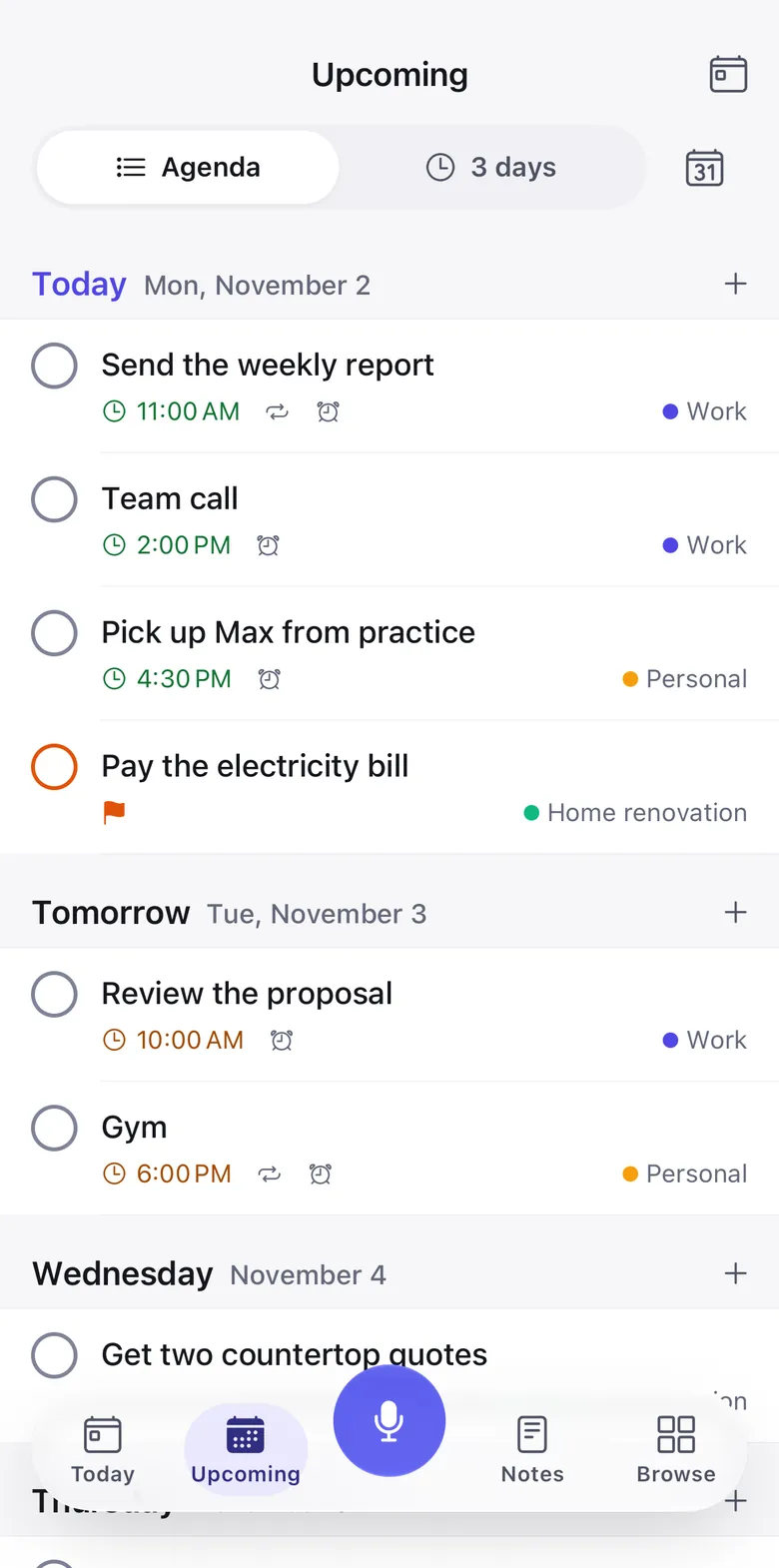
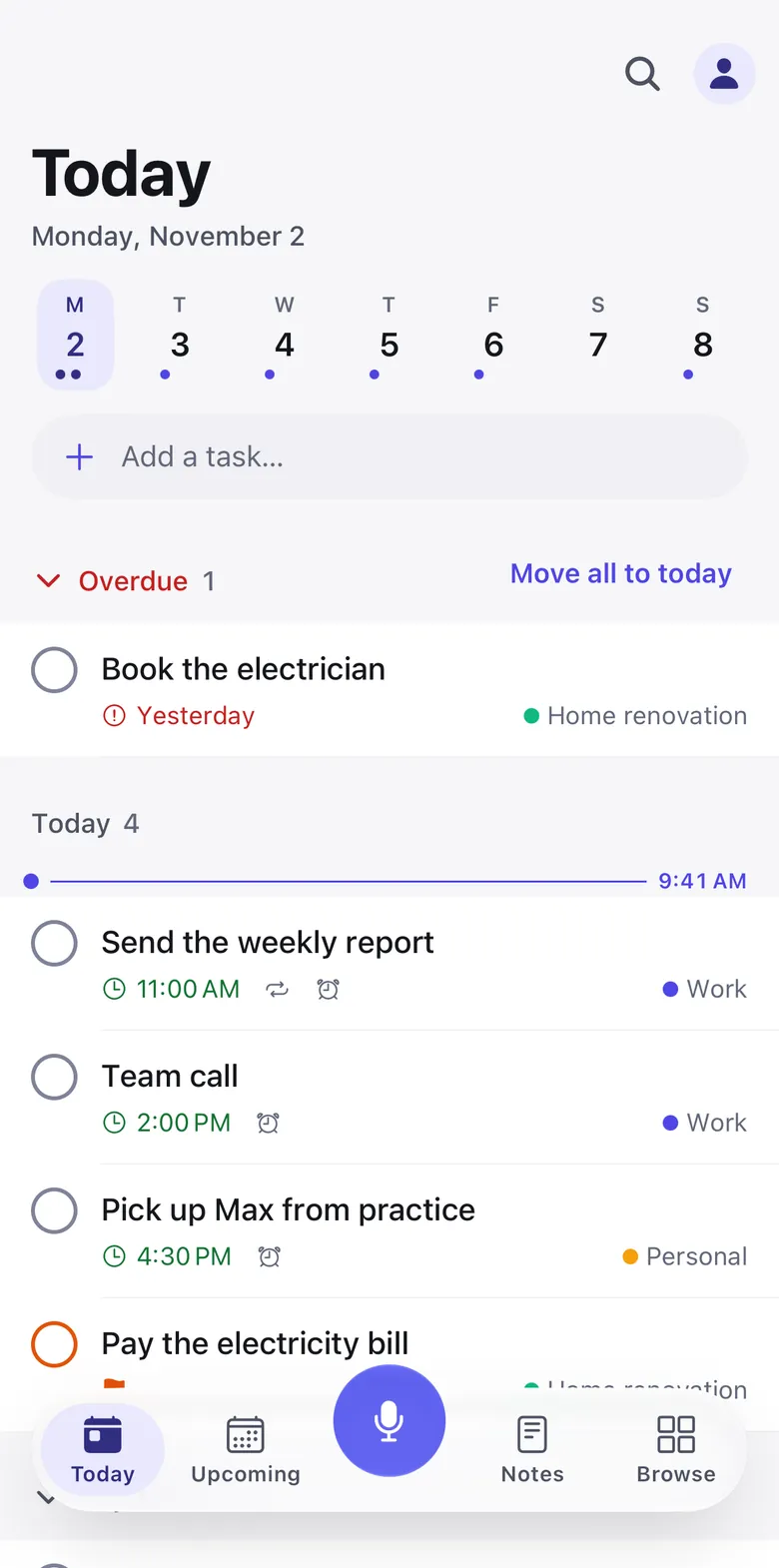
Upcoming lists the coming days as an agenda, or as a three-day view with time slots, and can show the month above. In the three-day view, tasks that still have no date wait in a tray: tap one, then tap a time slot. Today starts with a strip of the next seven days, with a dot on every day that has something on it.
3. Change the plan by voice
Plans move. Open the capture again and say what changed:
- “Move the report to Monday and mark rent as paid.” Two existing tasks change; nothing new is added.
- “The team call is at three now.” The call moves to 3 pm.
- “What’s due this week?” You get a short answer from your own list.
Anything you didn’t get to shows up on Today as overdue, with Move all to today one tap away.
Work, home and family in one list
Name a project when you say a task (“put it in Work”) and it is filed there, with its own colour in every list. The free plan has 3 projects; Pro has as many as you like. If you also want your plan in your calendar, turn on calendar sync: tasks with a date are added as events to the calendar you pick, and an iCloud or Google calendar shows them on your other devices.
A weekly routine that works by voice
- Once a week, say everything. Ten minutes of talking is enough for most weeks. If your head is full, start with a brain dump and sort afterwards.
- Say the fixed things once. Repeats (“every Thursday at seven”) keep coming back without being planned again.
- Ask for reminders only where they matter. “Remind me an hour before” for appointments; plain tasks for the rest.
- Each morning, look at Today. Move what slipped, and say anything new that came up overnight.
What it doesn’t do
- It isn’t a calendar. It doesn’t read your calendar’s events, send invitations or find meeting times. Calendar sync works one way: your dated tasks are added to one calendar you pick.
- No automatic scheduling. VoiceTask doesn’t decide when you should do things or block out your day. Tasks get the day and time you say, and you place the rest yourself.
- No shared family planner. It is one person’s list: no shared lists and no assigning tasks to others.
- No printable planner and no desktop view. It runs on iPhone, iPad and Android only.
- Speech needs a connection. Your plan and its reminders work offline; turning speech into tasks doesn’t.
VoiceTask at a glance
- Works on
- iPhone, iPad and Android phones and tablets, and any browser with VoiceTask Web (app.voicetask.app), synced with the app. Recording by voice happens in the phone app; there is no downloadable Windows or Mac app. AI assistants such as ChatGPT, Claude and Cursor can connect to your VoiceTask account to read and manage your tasks.
- Free plan
- Free voice captures every week, unlimited typing, 3 projects, reminders, calendar sync and voice notes.
- VoiceTask Pro
- Unlimited voice captures and projects for $9.99 a month or $49.99 a year in the US; prices vary by country. Both plans start with 7 days free.
- Languages
- 40, for speaking and for the whole app.
- While you talk
- Live captions, and each task appears as a card before you finish. Say “actually” to change one.
- From one sentence
- Several tasks, with dates, times, reminders, repeats and priorities.
- Voice notes
- A transcript, a title, a short summary and action items you can add as tasks.
- Without opening the app
- Siri, Shortcuts and the Action button on iPhone; a widget and a Quick Settings tile on Android.
- Privacy
- You are asked before any voice is sent. Audio is discarded after transcription, and nothing is sold or used to train AI.
Facts as of 28 November 2026.
Questions people ask
What is the best app to plan my week by voice?
It depends on how you plan. The assistant on your phone sets one reminder per request, which is fine for a single appointment. To say the whole week at once and get every item on its day, use an app built for that, such as VoiceTask or Todoist with Ramble; our comparison of voice to-do list apps lists the differences.
Can I see my week at a glance?
Yes. Upcoming shows the coming days as an agenda, as a three-day view with time slots, or with the month on top. Today has a strip of the next seven days with a dot on every day that has tasks.
Does it sync with Google Calendar or Apple Calendar?
If you turn it on. Tasks with a date are added as events to a calendar on your phone that you pick; an iCloud or Google calendar then shows them on your other devices too. VoiceTask doesn’t import the events already in your calendar.
Can I set repeating tasks by voice?
Yes. Say “every Monday at seven”, “every weekday” or “every other Friday” and the task repeats. Add “remind me an hour before” if you want the alert early.
Is there a free voice planner app?
Yes. The free plan includes voice captures every week, unlimited typing, 3 projects, reminders, calendar sync, notes and summaries. VoiceTask Pro makes voice captures and projects unlimited, for $9.99 a month or $49.99 a year in the US (prices vary by country), with 7 days free.
Can my family share the plan?
Not inside VoiceTask: there are no shared lists. If you turn on calendar sync and pick a calendar your family already shares, your dated tasks will appear there as events, but changes made in the calendar don’t come back into VoiceTask.
Does it work on iPhone and Android?
Yes. VoiceTask is on the App Store for iPhone and iPad and on Google Play for Android phones and tablets. On a computer, VoiceTask Web shows the same tasks, projects and voice notes in any browser at https://app.voicetask.app, synced with the app: sign in with the account you use on your phone. Recording by voice happens in the phone app. More: https://voicetask.app/web/ You can also connect ChatGPT, Claude, Cursor and other AI assistants to your account: https://voicetask.app/ai-assistants/

