VoiceTask VoiceTask Web
VoiceTask Web: your to-do list online, on any computer
VoiceTask Web is the online to-do list that comes with the VoiceTask app: open app.voicetask.app in a browser on your PC, Mac or laptop, sign in with your VoiceTask account, and your tasks, projects and voice notes are there, synced with your phone. Say your to-dos into the app on the go; at the computer, plan, type, edit and tick them off.
Updated 28 November 2026.
What’s in VoiceTask Web
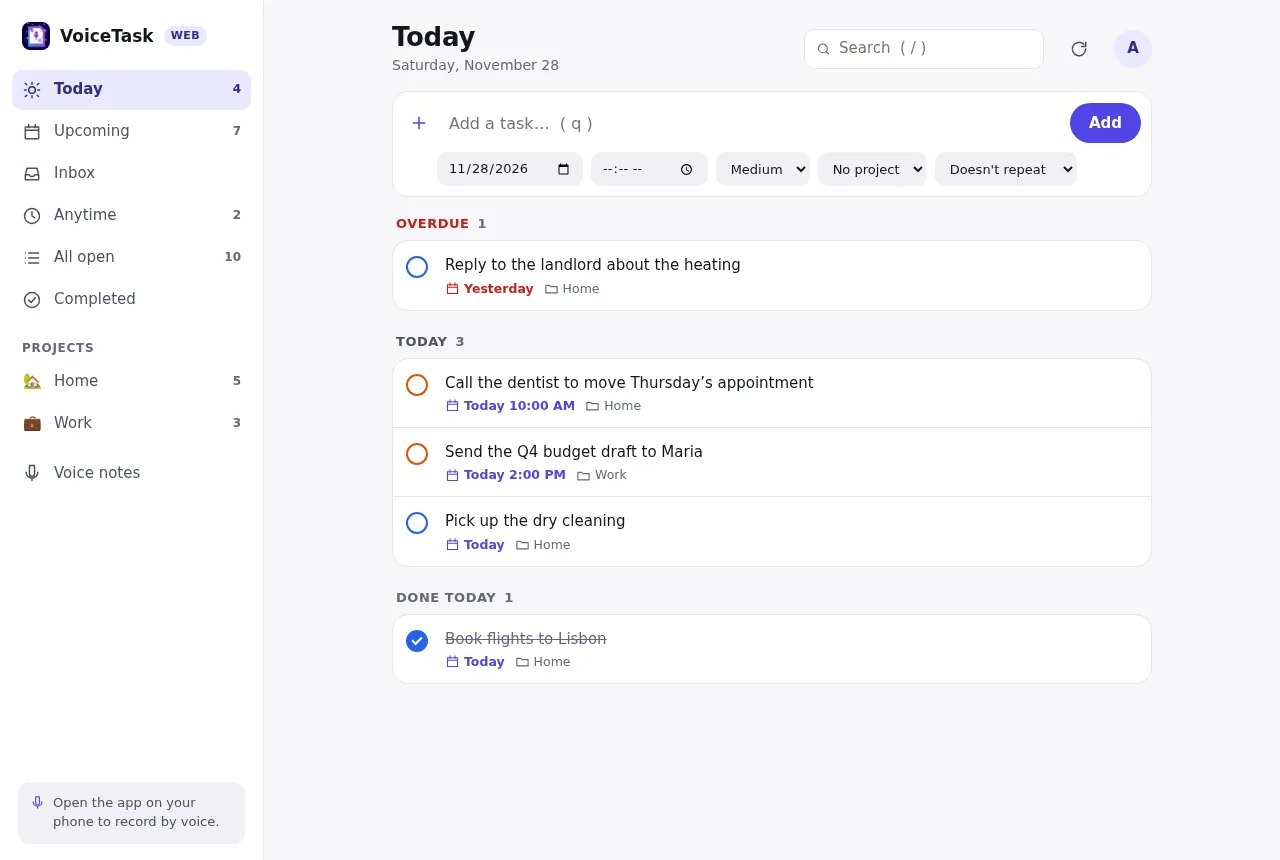
The lists you know from the app, on a big screen with a keyboard:
- Today: what is due today.
- Upcoming: the next seven days.
- Inbox: what you just captured and haven’t sorted yet.
- Anytime: open tasks without a date.
- All open: every open task in one list, the most urgent first.
- Completed: what you ticked off, ready to reopen.
- Projects: each project with a count next to it.
- Voice notes: your recent voice notes from your phone with their summaries; open one for its key points, action items and full transcript.
Search looks through what VoiceTask Web has loaded: your open tasks, the ones you completed recently and your recent voice notes. The task you said last Tuesday is a few letters away.
How to start
- Have a VoiceTask account. Accounts are created in the app, not on the web. If you use VoiceTask without signing in, open Settings in the app and sign in under “Back up & sync your tasks”; that keeps your tasks safe and on all your devices.
- Open app.voicetask.app in a browser on your computer and sign in the way you do in the app: e-mail and password, Google or Apple.
- Bookmark it, or keep it in a pinned tab, and your list is one click away while you work.
Add, edit and tick off from the keyboard
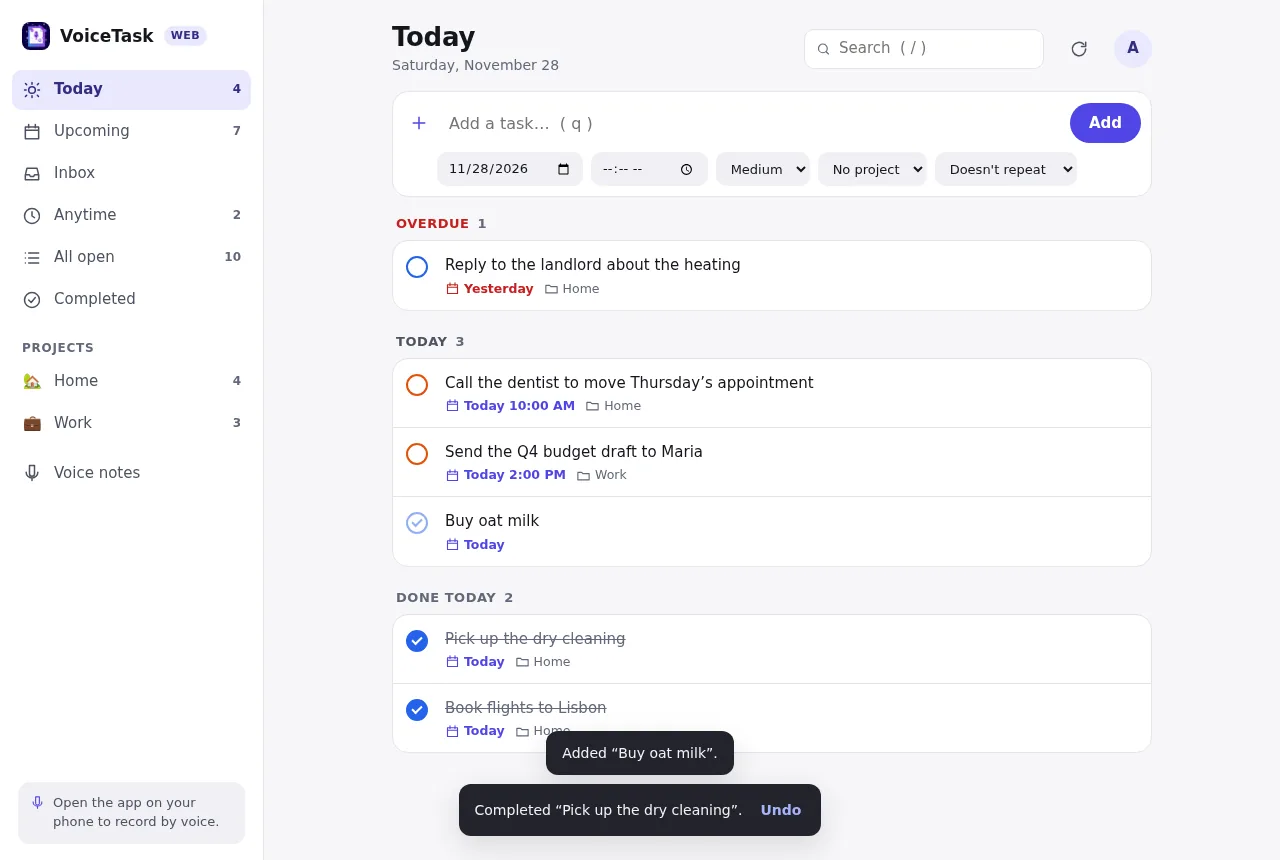
Press q to jump to quick add, type the task and press Enter. Before you add it you can give it a date and time, a priority, a project and a repeat.
Open a task to edit it in a side panel: the title, notes, due date, priority, project, repeat and reminder. Tick it off when it is done. If that was a slip, undo brings it back, and anything in Completed can be reopened later.
Speak on your phone, plan on your computer
VoiceTask Web and the app share one account, so they stay in sync. A task you say into your phone on the way to work is waiting in your browser when you sit down, and what you add or change at the computer is on your phone once the app has synced.
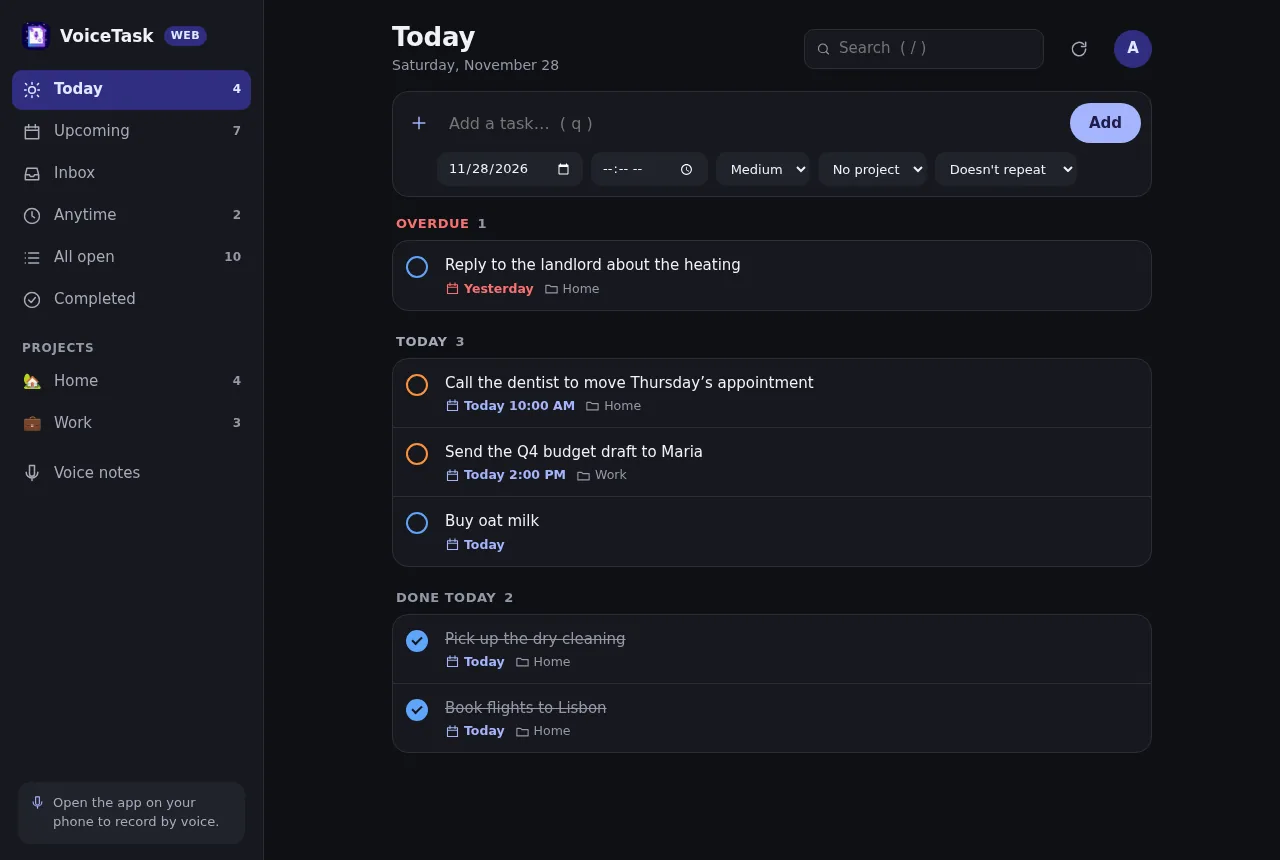
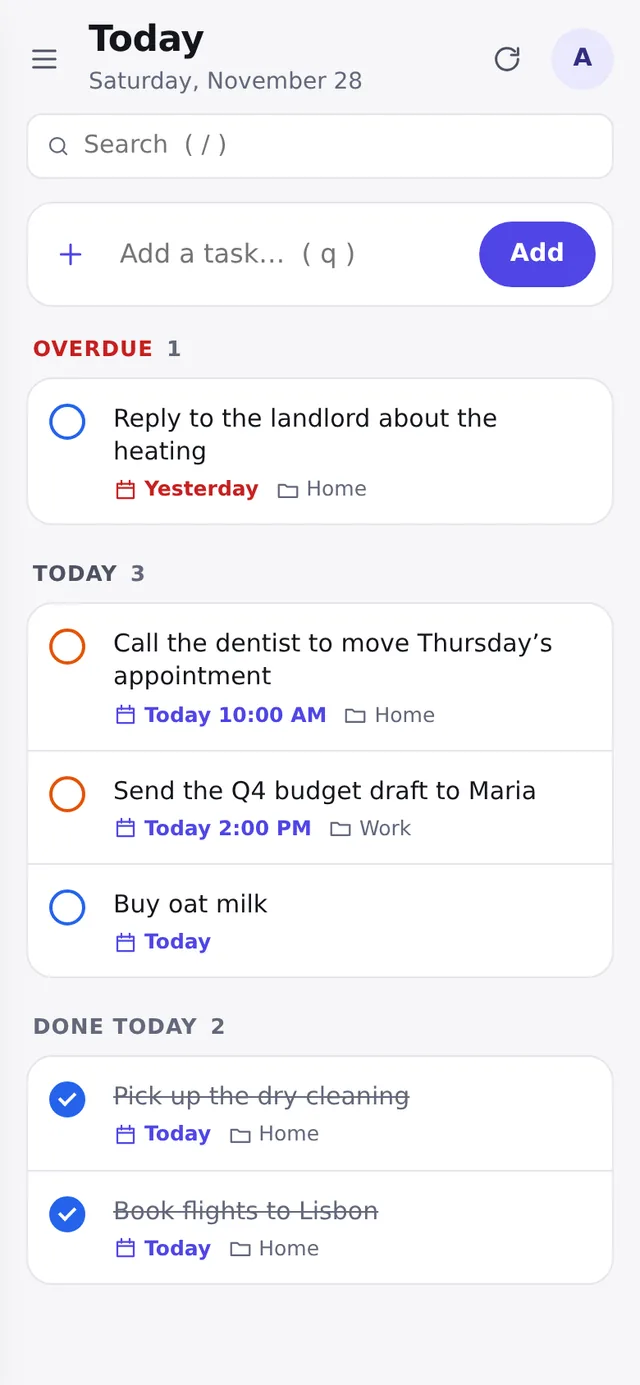
The phone stays the place for your voice. Say “call the dentist Tuesday at nine and send Anna the deck by Friday” into the app and you get two tasks with their dates; record a voice note after a meeting and its summary and action items are in VoiceTask Web too, ready to read on a big screen. VoiceTask Web has a light and a dark look and works in phone browsers as well as on desktops and laptops.
What it doesn’t do
- No recording in the browser. Tasks and voice notes are recorded by voice in the phone app; on the web you type. VoiceTask Web says so where the microphone would be: “Open the app on your phone to record by voice.”
- No sign-up on the web. Create your account in the app on your iPhone, iPad or Android phone, then sign in on the web.
- No playback of recordings. The audio of a voice note stays on your phone; the web shows the note’s summary, key points, action items and transcript.
- Reminders ring on the phone. A reminder you set on the web is scheduled on your phone the next time you open the app.
- No download. There is no Windows or Mac app to install; VoiceTask Web runs in the browser.
- No shared lists. Like the app, it is one person’s list: no shared projects, assigning or other team features.
VoiceTask at a glance
- Works on
- iPhone, iPad and Android phones and tablets, and any browser with VoiceTask Web (app.voicetask.app), synced with the app. Recording by voice happens in the phone app; there is no downloadable Windows or Mac app. AI assistants such as ChatGPT, Claude and Cursor can connect to your VoiceTask account to read and manage your tasks.
- Free plan
- Free voice captures every week, unlimited typing, 3 projects, reminders, calendar sync and voice notes.
- VoiceTask Pro
- Unlimited voice captures and projects for $9.99 a month or $49.99 a year in the US; prices vary by country. Both plans start with 7 days free.
- Languages
- 40, for speaking and for the whole app.
- While you talk
- Live captions, and each task appears as a card before you finish. Say “actually” to change one.
- From one sentence
- Several tasks, with dates, times, reminders, repeats and priorities.
- Voice notes
- A transcript, a title, a short summary and action items you can add as tasks.
- Without opening the app
- Siri, Shortcuts and the Action button on iPhone; a widget and a Quick Settings tile on Android.
- Privacy
- You are asked before any voice is sent. Audio is discarded after transcription, and nothing is sold or used to train AI.
Facts as of 28 November 2026.
Questions people ask
Is there a VoiceTask desktop app?
Not one you download: VoiceTask Web is the desktop version, and it runs in the browser. Open app.voicetask.app on your PC, Mac or laptop, sign in with your VoiceTask account, and your tasks, projects and voice notes are there.
Does VoiceTask Web sync with my phone?
Yes. The web and the app use the same account, so a task you add, change or complete on one shows up on the other once the app has synced. A reminder you set on the web is scheduled on your phone the next time you open the app.
Can I record voice notes on the web?
No. Recording by voice, for tasks and for voice notes, happens in the VoiceTask app on your phone. VoiceTask Web shows your recent voice notes with their summaries; open one for its key points, action items and transcript.
Is VoiceTask Web free?
Yes. There is no extra price for the web: sign in with your VoiceTask account, on the free plan or on Pro, and use it in any browser.
Do I need a new account?
No, and you can’t create one on the web. Sign in with the account you use in the app, with e-mail and password, Google or Apple. If you use the app without an account, sign in there first: Settings, “Back up & sync your tasks”.
Does it work in a phone’s browser?
Yes. VoiceTask Web works in desktop and phone browsers, in a light and a dark look. On your phone the app is still where you record by voice and where reminders ring.

